Free online video merger
Merge videos into one file, free.
Put clips back to back on one track, close the gaps, add a fade between them if you like, and export a single MP4. It runs in your browser, with no sign-up and no watermark.
- No watermark
- No account needed
- Clips of any size
How it works
Line them up, export once.
-
01
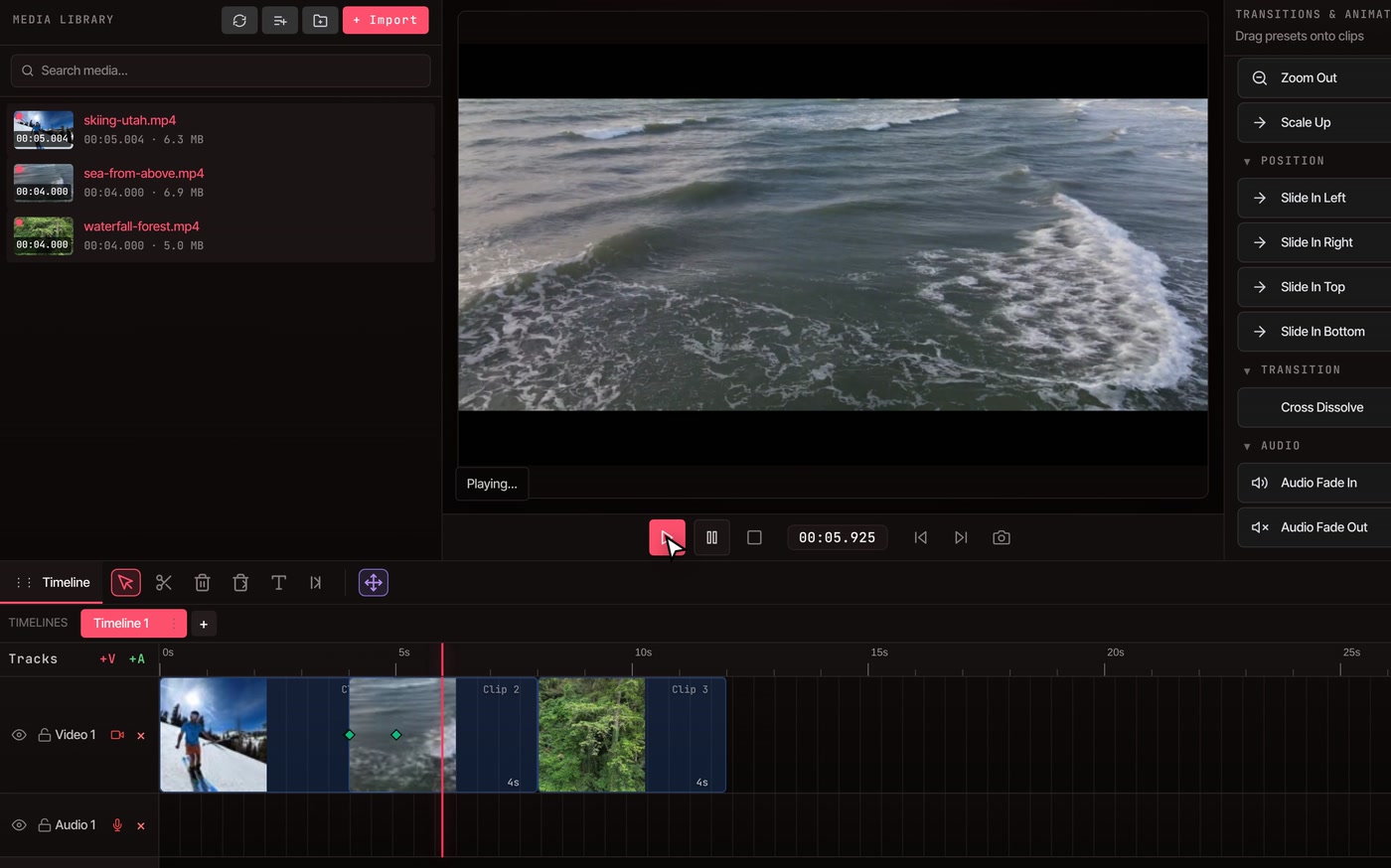
Add your clipsSelect all your videos in the media library and click Add all clips to timeline. Pick whether they go in by name, recording date or last-changed date, and they land back to back.
-
02
Close the gapsMoved clips around, or left empty space? Click Close Gaps in the timeline toolbar and everything slides together.
-
03
Blend a join, then exportDrag Cross Dissolve from the Transitions panel onto a clip, then open File, Export Video and save one MP4.
Clips of different sizes
Mixed sizes, handled.
-
Wide or tall clips
The finished video takes the size of your project, 1920 by 1080 unless you change it. Each clip is placed whole inside that frame, so a vertical phone clip gets black bars at the sides and an extra-wide clip gets black bars above and below. Nothing is cropped.
-
Fill the frame instead
Select a clip and change its size and position in Clip Properties to zoom it until it fills the frame. You choose what gets trimmed, clip by clip.
-
Fades between clips
Cross Dissolve blends the end of one clip into the start of the next over one second. It slides the second clip back so the two overlap, which makes the finished video that much shorter. Without it, clips simply cut from one to the next.
Questions
Merging videos, answered.
Is merging videos really free?
Yes. Putting clips together and exporting them takes no account and no payment, and every plan exports without a watermark. The free plan has no limit on video length.
How many videos can I combine?
As many as your computer can handle. Everything is edited and exported on your own machine, so very long edits with many large clips take longer and need more memory. Your footage does not leave your computer.
What happens if my videos are different sizes?
The finished video uses your project size, and each clip sits whole inside it with black bars where its shape does not match. To fill the frame, resize that clip in Clip Properties.
Can I change the order of my clips?
Yes. Drag a clip to where you want it, then click Close Gaps to remove the empty space it left behind. Add all clips to timeline can also place them by name, recording date or last-changed date to begin with.
Can I merge videos on my phone?
No. The editor needs a desktop or laptop computer. It runs in Chrome, Edge, Brave, Arc and Firefox, and in Safari for lighter edits.
Can I put a transition between two clips?
Yes. Drag Cross Dissolve from the Transitions panel onto the clip that comes first. The overlap is one second by default.
Next up
- Trim video Cut the start, end or middle of a clip before you join it.
- Resize video Change a video to 16:9, 9:16 or 1:1 for each platform.
- Combine videos, step by step The full walkthrough, from import to finished file.
- Even out the sound Clips recorded at different volumes sound better balanced.
- Compress video Make the merged file smaller before you send it.
- Online video editor Everything else the editor can do with your clips.
Many clips in, one video out.
No watermark, no account, and your footage stays on your computer.