Remove filler words
Remove the ums with one request.
Ask the AI assistant to take the ums and ahs out of your video. It writes out what was said, finds them in the words, and cuts them out of the video and the sound in one pass. It gets most of them, not every one. Prefer to do it yourself? You can delete them from the words, free.
- One pass is part of Pro
- By hand is free
- One undo
How it works
Ask once. Check the words.
-
01
Put your recording on the timelineA talk, an interview, a voiceover or a podcast video. The AI works from the original file, so nothing is lost from it.
-
02
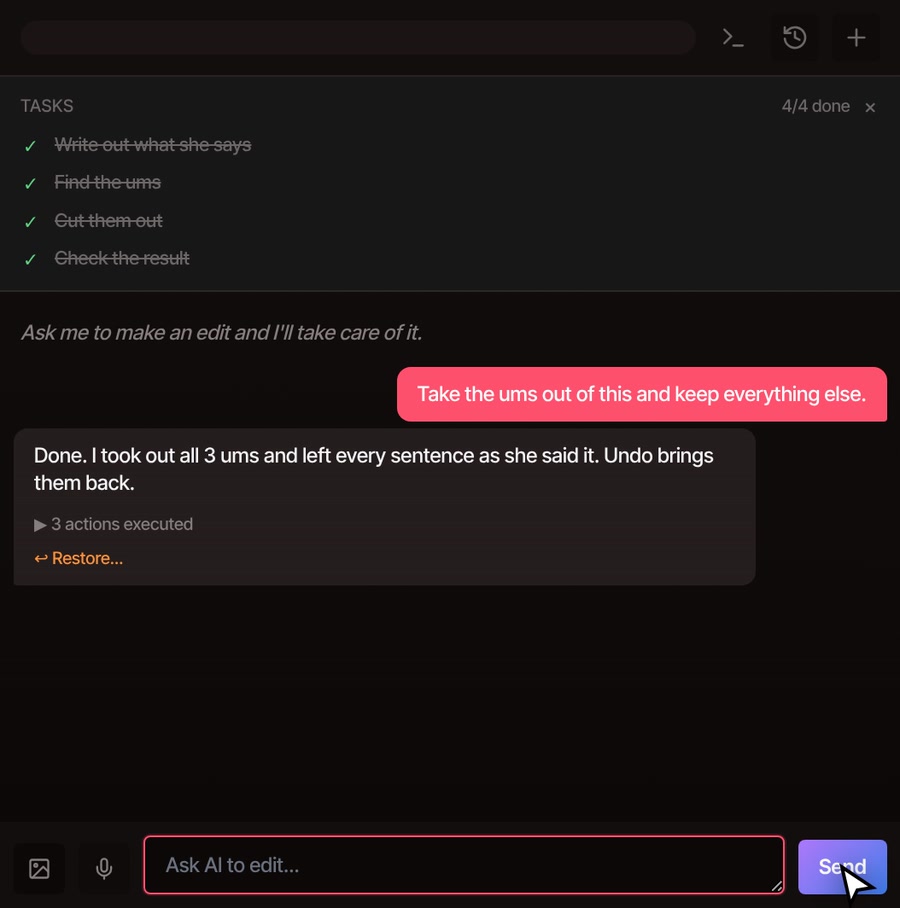
Ask for the ums to goOpen the AI tab on the right of the editor and type something like “take the ums out and keep everything else.”
-
03
Let it write out the words and cutIt writes out what was said if that has not been done yet, finds the ums and ahs, and builds the cut on your timeline. The sound and the picture are cut together.
-
04
Play it, then tidy upCheck the words and play it back. If a spot sounds clipped, undo it in one step, or ask again with a gentler request.
What you get
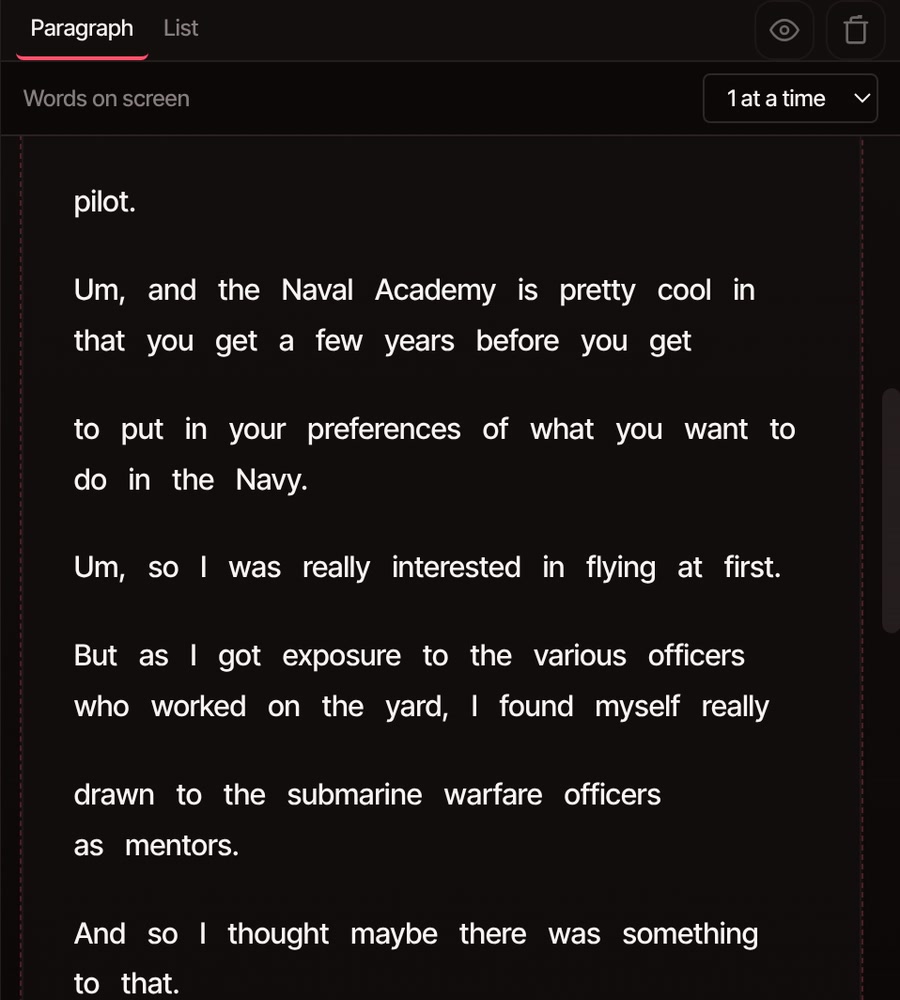
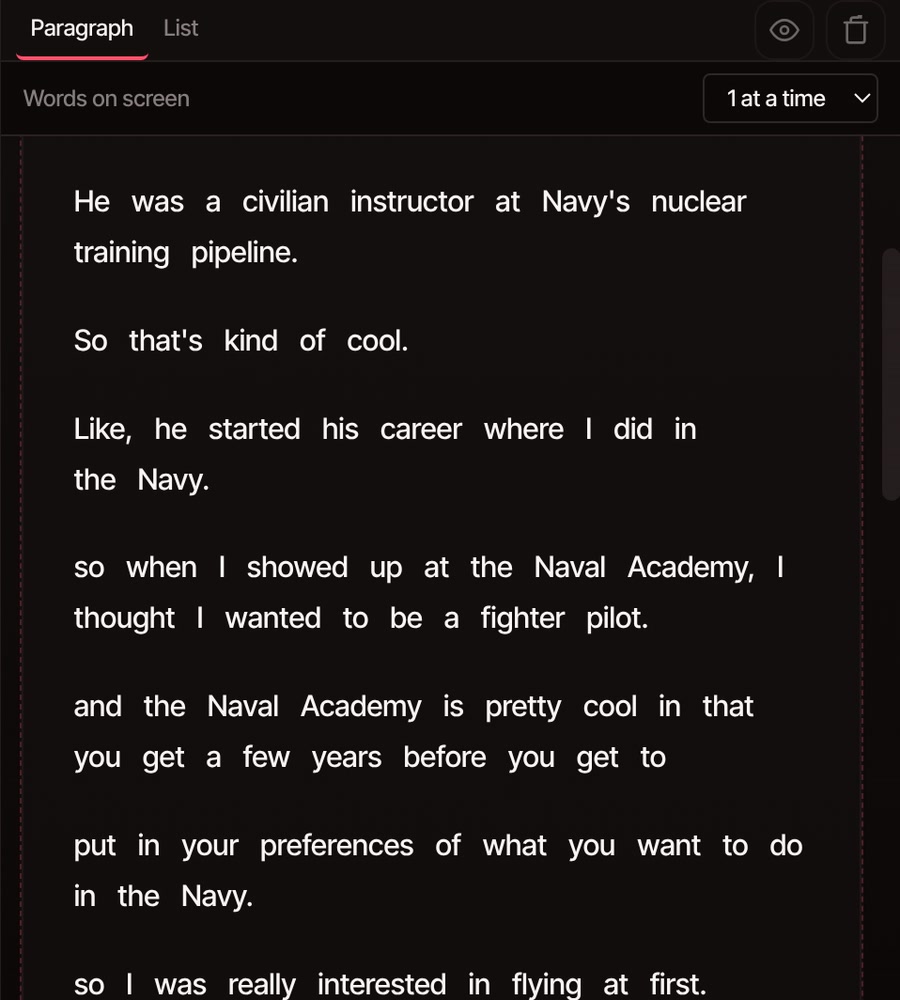
The ums are gone from the words and the sound.
The words list is your check. Before, each um sits where she said it. After, the sentences run straight on, and the video and sound have been cut to match. The cut is made of ordinary clips on your timeline, so you can keep editing.
What it takes out
What goes, and what stays.
-
Ums and ahs
Hesitation sounds such as um, uh, erm, ah and hmm. It finds them in the words, so it can only cut the ones that were written down. Most are, but a quiet one can slip through.
-
Repeated words
A word said twice in a row, like “I I think,” loses its first copy.
-
Restarts
When someone starts a sentence over, ask it to leave out the false start and keep the take they finished. It chooses which sentences to keep, so you can tell it which to drop.
-
Words you meant
“Like” and “you know” stay, because they are real words and sometimes carry the meaning. Ask for them by name if you want them gone.
-
No choppy joins
If taking a filler out would leave a very short scrap of speech between two cuts, it leaves that filler in. A pause longer than a second and a half between kept words is cut out too.
-
Easy to take back
The whole pass is one undo step, and the reply has a Restore link. Your original recording stays in the media library, untouched.
One pass is part of Pro
The one-request version comes with the AI assistant, which is part of Pro and Studio.
The free plan still gives you the whole editor with no watermark. With a free account and a confirmed email you can write out the words on your own computer, pick each um and delete it, and the video cuts with it. That takes longer on a long video, and the words written on your own computer may leave out some ums, so there can be fewer to find. Edit by text shows how.
See plansQuestions
Before you press play.
Will it catch every um?
No. It cuts most ums and ahs, and it can only cut what was written down in the words. Play the result through once, and if one is left, select it in the words list and delete it, or ask the assistant to cut it.
Does it send my video anywhere?
Your video stays on your computer and the cut is built there. Writing out what was said is a job that runs on VidTL's servers, so the sound of the recording goes there for that step. The assistant then works from the words, not your video.
Does it make the speech sound choppy?
It keeps whole sentences and leaves a filler in when cutting it would leave a very short scrap between two cuts. It also keeps a little breathing room around each cut. If a spot still sounds clipped, undo the pass in one step and ask again.
Can it cut one particular um, or one phrase?
Yes. Ask for it in plain words, such as “cut the um before the Naval Academy bit.” You can also select it in the words list and delete it yourself.
Does it remove silence too?
A pass like this cuts a pause longer than a second and a half between the words it keeps. For dead air in a long stretch you are not otherwise editing, use Remove silence.
What about other languages?
The words are written out in the language spoken, but the list of hesitation sounds it looks for is the English one: um, uh, erm, ah and hmm. For other languages, ask the assistant to cut the filler words you can see in the words list.
Keep going
- Edit by text Delete the ums yourself, from the words. The video cuts with them.
- AI rough cut Cut a long talk down to the story you want, in one request.
- Remove silence Close the long pauses between the words as well.
- Auto caption generator Add captions to the tidied-up talk.
- The AI video editing assistant Everything else you can ask it for, from captions to titles.
- Plans and pricing See what comes with Pro and Studio.
Ask for it once. Then press play.
The editor opens in your browser with nothing to install. The one-request version comes with Pro; deleting ums by hand is free.