Free online tool
Remove the silence from your video.
Remove Silence finds every pause in your clip, marks each one in red so you can check it, then cuts it out and closes the gap. Everything under the clip moves up with it. It runs in your browser, with no account and no watermark.
- No account needed
- No watermark
- Choose how long a pause is
How it works
Find the pauses, check them, cut them.
-
01
Click your clip, then open Tools and choose Remove Silence.Under Cut & Trim. With nothing selected it covers every clip on the timeline.
-
02
Say how long a pause has to be.Drag Min Silence Duration. It runs from 0.1 to 10 seconds and starts at 0.3.
-
03
Press Analyze.Every pause turns red on the timeline, and the box counts them and adds up the time you would save.
-
04
Press Apply.The pauses are cut out and the rest moves up to fill the gaps. Undo brings them back.
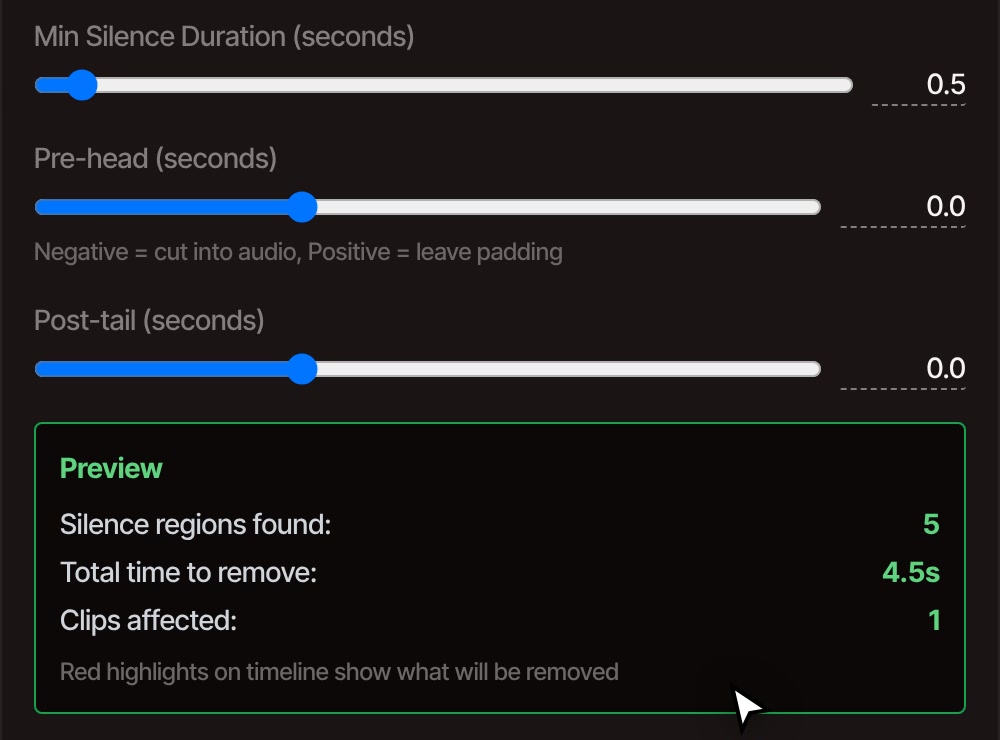
The settings
Two settings do most of the work.
-
How quiet counts as silent
Silence Threshold is on Auto, which listens to your clip and works out where its quiet is. Untick Auto to set it yourself, from -70 to 0 dB. Raise it if room noise or music is keeping pauses from being found.
-
How long a pause must be
Min Silence Duration is the shortest gap that gets cut. At 0.3 seconds, breaths and small gaps go too. Move it to 0.5 or 1 to take out only the long pauses and keep the rhythm of how someone talks.
-
Room around the speech
Pre-head and Post-tail keep a little quiet before and after each cut so words are not clipped. A positive number leaves padding. A negative number cuts into the sound for a tighter edit.
-
Which clips
Click a clip to cut only that one, or select nothing to cover the whole timeline. Tick Only process talking-head clips to leave b-roll alone. That option needs captions on the clip, which Generate Subtitles makes.
Questions
Cutting pauses, answered.
Is it really free?
Yes. Remove Silence is free with no account, and the video has no watermark when you export it. Everything happens on your computer, so your footage is not uploaded.
Do the pauses close up on every track?
Yes. Each pause is ripple deleted, so the picture, its sound and any music or other tracks above or below it move together and stay in sync.
Can I see what it will cut before it does?
Yes. Analyze marks every pause in red on the timeline and tells you how many it found and how much time they add up to. Nothing is cut until you press Apply, and you can change a setting and press Analyze again.
Can I undo it?
Yes. Applying it is one step in the editor's history, so Undo puts every pause back. You can also trim the result by hand afterwards.
Does it work on audio files, or only video?
It works on video clips and audio clips alike, so a podcast recording or a voiceover can be tightened the same way.
Also in the editor
- Remove silence from a podcast A step-by-step walkthrough for a recorded conversation.
- Remove filler words Cut the ums and uhs, not only the pauses.
- Edit video by text Delete words in the transcript and the video follows.
- Trim video Cut the start, the end or any part in the middle.
- Remove background noise Clean up the sound that is left once the pauses are gone.
- Podcast video editor Edit a recorded show from start to finish.
Tighten your video in one click.
Open the editor and cut your first pause. It is free and needs no account.