Website promo films
Turn your website into a promo video.
Give VidTL's AI assistant your site's address. It pictures the real page and builds a 3D promo film from it, with your logo, colours and words, then puts the film on your timeline with a score timed to it.
- Part of Pro
- Built from your real site
- Change it afterwards
How it works
Give it an address. Get a film back.
-
01
Tell the assistant your addressOpen the AI tab in the editor and type something like “Make a promo film for yourbusiness.com”. Use your own site, or one you have permission to show.
-
02
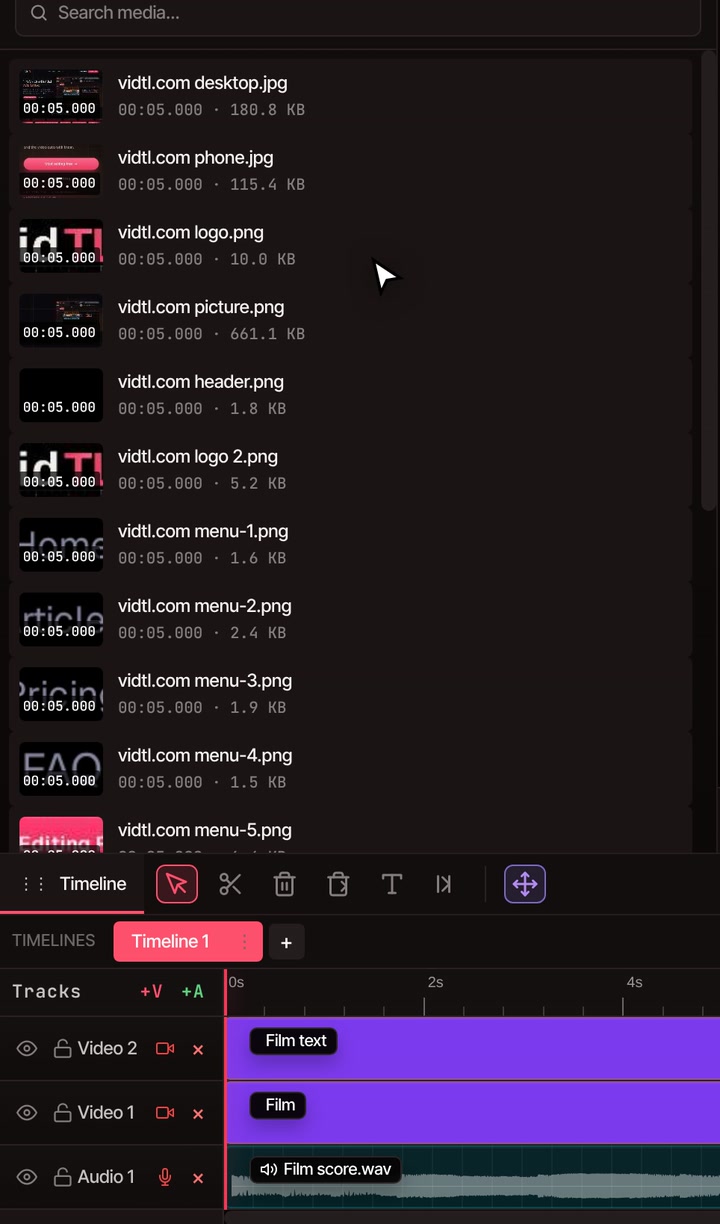
It pictures your siteVidTL opens the address and takes the first screen as it looks on a computer and on a phone. It also lifts out the page’s pieces, its logo, colours, fonts and words. The pictures land in your media library, in a folder named for your site.
-
03
It builds the filmThe film appears on the timeline with its words as a separate graphic on the track above, so you can see and play it straight away.
-
04
Add the soundAsk for a score timed to the film, or only sound effects to sit under a song you made with VidTL’s AI music.
What you get
Five parts, every one your own site.
Every promo film tells the same story in the same order, at a steady beat. The story is fixed. The pictures, colours, fonts and words are yours.
-
Your page builds itself
A short request types into a builder window. Your real page bursts into its own pieces, hangs in the air, then drops back together.
-
Your site, flipping by
The page and a phone view flip through again and again, faster each time, with one word for each.
-
A field of screens
The camera flies low over a field of your site into the sunset, and every screen lights up at dusk.
-
Your logo, formed
The screens shatter near the middle, swirl up and lock together into your logo.
-
An end card
Your full logo, a tagline, a button and your web address.
-
Short lines that fit
Every line of copy has a limit so it fits the frame. If one is too long, you are told which line and by how much.
After it is made
Not happy with a line? Change it.
-
Retype the words
The film’s words sit in their own graphic above it. Retype them, or change the font or colour, like any other text on the timeline.
-
Ask for a different film
Tell the assistant to change the sites, the typed request, the logo, the colours or how long each part runs. The picture updates at once and your hand edits to the words stay.
-
Export it like any video
Pick a format in the export window. Drawing every frame in 3D takes a minute or two on a computer with a graphics card, and longer without one.
Part of Pro
Pro adds the AI assistant, and with it website promo films.
Picturing your site and making the film’s sound run on VidTL’s servers, so both need Pro. The free plan still gives you the whole editor with no watermark and exports up to 8K, plus editing by text, automatic captions and background removal.
See plansQuestions
Before you try it.
Can I make a promo video from any website?
From any public address, yes, as long as it is your own site or one you have permission to show. VidTL pictures the first screen of the page, so what is on that screen is what ends up in the film.
How long is the film, and what shape?
A standard film runs about 25 seconds on a tall 1080 by 1920 frame, the shape of Shorts, Reels and TikTok. Each part can be made shorter or longer, and you can ask for a different frame shape.
Does anything leave my computer?
Not your footage. VidTL’s servers open your public page to take its pictures, and they make the film’s sound. The film itself is drawn and exported on your own computer.
Can I tell a different story?
A promo film is one ready-made story. For another idea, ask the assistant for your own animated scene with AI motion graphics, using the same pictures of your site.
Is the film free to make?
No. Promo films are part of Pro. The editor itself, with no watermark and exports up to 8K, stays free.
Also in the editor
- AI video editing assistant The assistant that builds your film, and does the rest of the edit too.
- AI motion graphics Animated titles and scenes of your own, when one ready-made story is not the idea.
- AI music generator Make a song for the film, then ask for sound effects to sit under it.
- Resize video Make another shape from the same film, for a wide or square post.
- Online video editor Cut footage around the film in the full editor, with no watermark.
Your site, in motion.
Open the editor, ask the assistant for a promo film, and watch your site turn into one. Promo films are part of Pro.