Free online video stabilizer
Steady shaky video in your browser.
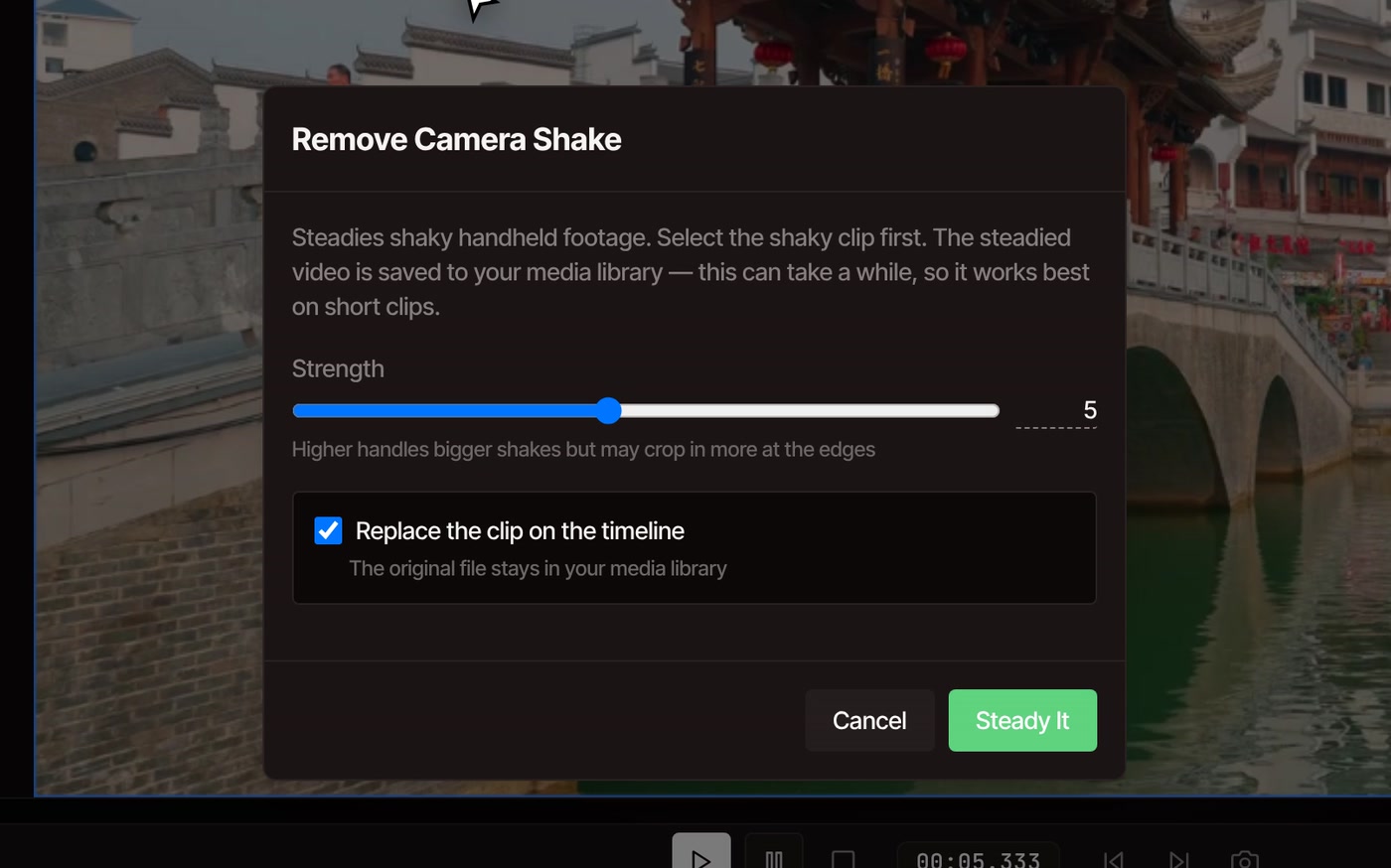
Select the shaky clip, open Tools, then Video, then Remove Camera Shake, and press Steady It. VidTL smooths out the wobble from your hands or your steps and hands back a steadier copy of the clip.
- Free, no account
- No watermark
- Stays on your computer
Watch for yourself
The same six seconds, before and after.
The footage is a steady stock clip by LayG Traveller on Pexels, with handheld-style shake added by us so you can see exactly what the tool takes out. Real shaky footage is messier, and the result depends on how it was shot.
Remove Camera Shake
Four steps to steadier footage.
-
01
Put the shaky clip on the timelineDrop the file into the editor and add it, then click the clip to select it.
-
02
Open Tools, Video, Remove Camera ShakeIf nothing is selected, the editor asks you to pick the clip first.
-
03
Choose a strength from 1 to 10It starts at 5. Higher handles bigger shakes but crops in more at the edges.
-
04
Press Steady ItA bar shows the progress. The steadied clip replaces the shaky one on the timeline, and the original stays in your media library.
What to expect
What it fixes, and what it can’t.
-
Hand shake and footsteps
It follows how the whole picture moves from frame to frame, then moves a slightly smaller window to cancel the jitter. Side to side and up and down wobble goes away, and slow, deliberate camera moves stay. It works best when the whole picture shakes together.
-
A little crop at the edges
To make room for the correction, the picture is cropped in slightly and scaled back to its full size. A bigger shake or a higher strength crops more, so leave some space around your subject when you shoot.
-
Only the part you use
Only the stretch of the clip that is on your timeline is steadied. Trim or split out the shaky part first and you wait for that part alone.
-
It takes a while
The clip is checked frame by frame and then made again on your own computer, so the wait can be longer than the clip itself. Short clips work best. If a long one fails, the editor suggests a shorter clip.
-
What it doesn’t fix
It moves the picture sideways and up and down, nothing else. A tilting horizon, blur from fast movement and warped, wobbly frames stay as they were. When people or vehicles fill the frame, or the camera itself moves a lot, there is less to lock onto and the result is more modest. If the clip is already steady, the editor tells you and changes nothing.
-
Easy to undo
The steadied copy is saved in your media library in a folder called Stabilized Video, and your original stays beside it. Undo puts the original back on the timeline. Untick “Replace the clip on the timeline” to leave the shaky clip where it is and only add the steadied copy to the library.
Free, with a shortcut in Pro
On Pro, you can ask the AI assistant to steady a clip instead of opening the tool.
Remove Camera Shake itself is free on every plan, with no account and no watermark. The assistant is the Pro part: it can run the same tool when you tell it a clip is shaky, along with the rest of your edit.
See plansQuestions
Stabilizing, answered.
Is the video stabilizer really free?
Yes. Remove Camera Shake needs no account and no payment, and your exports have no watermark. Exports go up to 8K at any length.
Is my video uploaded to steady it?
No. The clip is steadied on your own computer, which is also why a long clip takes a while. Your footage only leaves it if you choose to save to cloud storage or use a tool that runs on VidTL’s servers.
Why does the picture look zoomed in afterwards?
Steadying means sliding the frame against the shake, and that needs spare picture around the edges. The editor crops in just enough and scales the result back up to the original size. Try a lower strength if you would rather keep more of the shot.
Can I steady only part of a clip?
Yes. Put the playhead at the start of the shaky stretch and press S, then do the same at its end, and select just that piece. Only the part on the timeline is steadied, so the rest of the clip is left alone.
Can I steady video from my phone?
Yes, if you copy the file to a desktop or laptop computer first. The editor does not run on phones. Chrome, Edge, Brave, Arc and Firefox all run it well, and Safari works for lighter editing.
Next in the edit
- Split video Cut out just the shaky stretch, so only that part gets steadied.
- Trim video Cut the wobbly start and end before you steady the rest.
- Color correct video Fix the exposure and warmth of the clip you just steadied.
- Auto reframe video Turn a landscape clip into a vertical one that follows the subject.
- AI video editing assistant Type what you want fixed and let the editor do the steps.
- Online video editor Cut, caption and export the whole video in the same place.
Shaky in, steady out.
Free, no account, no watermark, and your video stays on your computer.